



Personal RF Bug Detector Portable Spy Camera Lens Finder - Household, Indoor, AirBnb and Rooms Privacy
Enhance Your Privacy with the Latest VIM-CAMFINDER4 Bug Detector
Take control of your privacy with the advanced VIM-CAMFINDER4 bug detector. This handheld and portable device allows you to scan for potential threats anywhere, offering you peace of mind and ensuring your personal space remains secure. With its all-in-one scanner functionality, this compact device safeguards your home. It protects public places like hotels and Airbnb accommodations. Stay ahead of hidden cameras and spy gadgets with the reliable VIM-CAMFINDER4 bug viewfinder.
Visual Operation with Ultra Bright LED Indication
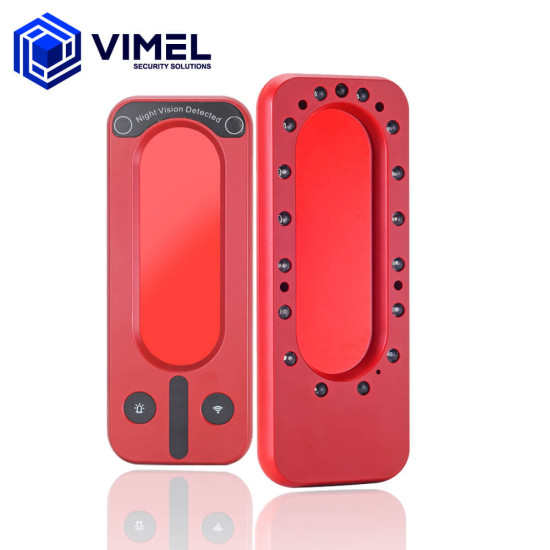
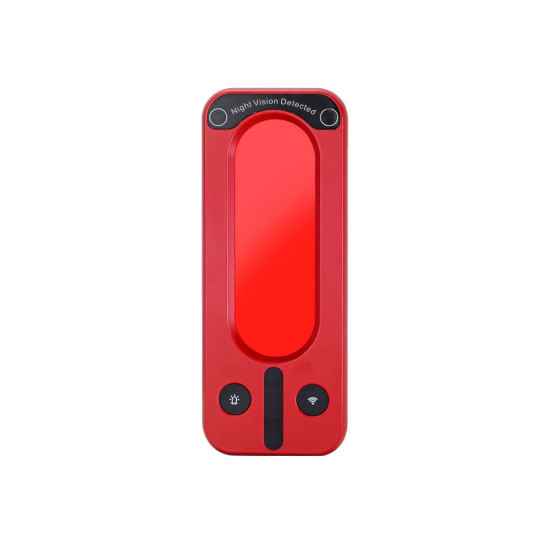
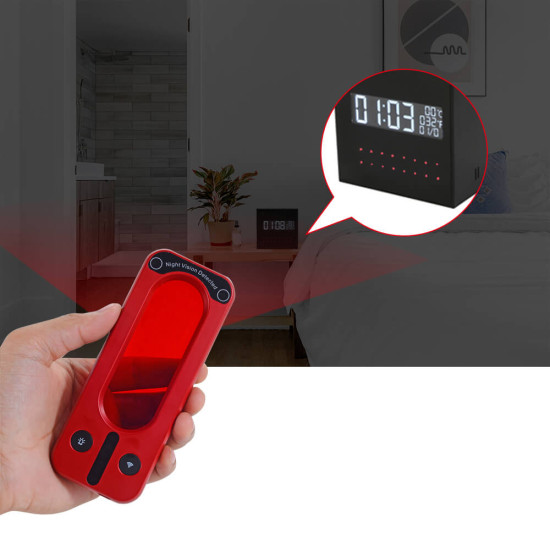
Experience unparalleled visual detection with the VIM-CAMFINDER4. Equipped with an innovative LED system, this device reflects light off potential spy camera lenses, allowing you to spot hidden cameras indoors easily. By sliding out the red filter, you can scan the room for any bright light leaks that may reveal the presence of covert surveillance devices. Rest assured that no suspicious devices will go unnoticed, ensuring enhanced privacy and security in your surroundings.
Long Standby Mode for Extended Monitoring
With the VIM-CAMFINDER4, you can thoroughly scan a room for hours, thanks to its exceptional battery life. Leave no trace of spy devices that may be compromising your privacy. Benefit from up to 10 hours of continuous monitoring and scanning, giving you the confidence that every corner has been meticulously inspected. Protect your personal space with an extra layer of privacy and heightened security.
Detects Wireless Signals
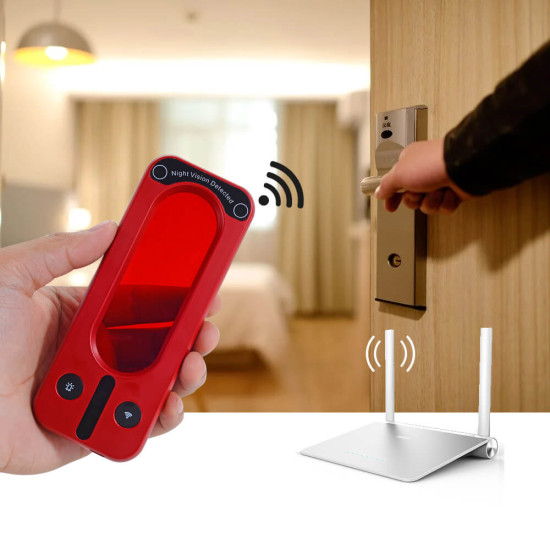
The VIM-CAMFINDER4 goes beyond visual detection, providing comprehensive protection against potential threats. Equipped with a wireless signal detection system, it can identify the location of remote devices based on signal strength. Whether it's Wi-Fi devices, GSM signals, 4G networks, 3G signals, or 2G signals, this advanced feature ensures you can uncover a broader range of potential privacy threats.
Portable and Lightweight for On-the-Go Use
Designed for convenience, the VIM-CAMFINDER4 is sleek, portable, and lightweight. Its ergonomic design allows for comfortable handheld use wherever you go. Recharging the device is quick and easy using the provided USB cable, and its compact form factor enables effortless storage in your pocket. Whether travelling or at home, this bug detector is your trusted companion, ensuring your privacy and security are always within reach.
Take charge of your privacy and security with the VIM-CAMFINDER4 bug detector. Experience the power of its visual operation, extended standby mode, and comprehensive detection capabilities. Its portable and lightweight design makes it the perfect travel companion. Safeguard your surroundings and stay one step ahead of potential threats. Order your VIM-CAMFINDER4 now and regain control of your privacy and security.
Features:
- 100% Visual Operation
- Made for Detecting Hidden / Spy Recording Devices
- SafeGuard Privacy Anywhere - Indoors and Outdoors
- Built-in Visual View Finder - Lens Reflection
- Infrared Night Vision 940nm Detection Function (During Night Time)
- Detects Wireless Signal Devices - 4G / WIFI Network
- Portable-Lightweight Pocket Design - Hand Held
- Rechargeable Battery
Specification
- Continuous Working Time: Up to 10 Hours
- Battery: 600mAh
- USB Interface: Micro USB
- Charging Time: 2 Hours
- Viewfinder Diameter: 85mm x 37mm
- Dimensions: 138mm x 53mm x 15mm
Packaging:
- 1 x RF Bug Detector
- 1 x Micro-USB Charger
- 1 x Test Lens
- 1 x User Manual / Guide
- Availability: In Stock
- Model: VIM-CAMFINDER4
